
7/10
6/10
8/10
5/10
“The best visual website builder just got AI that actually understands design context, but the pricing still assumes you are running a funded startup.”
BUY THIS IF:
- Freelance web designer billing $100+/hr: You build 3+ client sites per month and need to cut iteration time from days to hours
- Design agency with 2-4 people: You need branching to show clients two homepage variants without duplicating entire projects manually
SKIP THIS IF:
- You build one personal site per year: WordPress + Elementor free tier does 90% of what you need for $0
- You need a simple landing page today: Carrd costs $19/year and takes 20 minutes
The Free Alternative Test
The obvious comparison is Webflow, which has a free tier that lets you build and publish up to two projects. For most solopreneurs building a personal site or portfolio, Webflow free is sufficient.
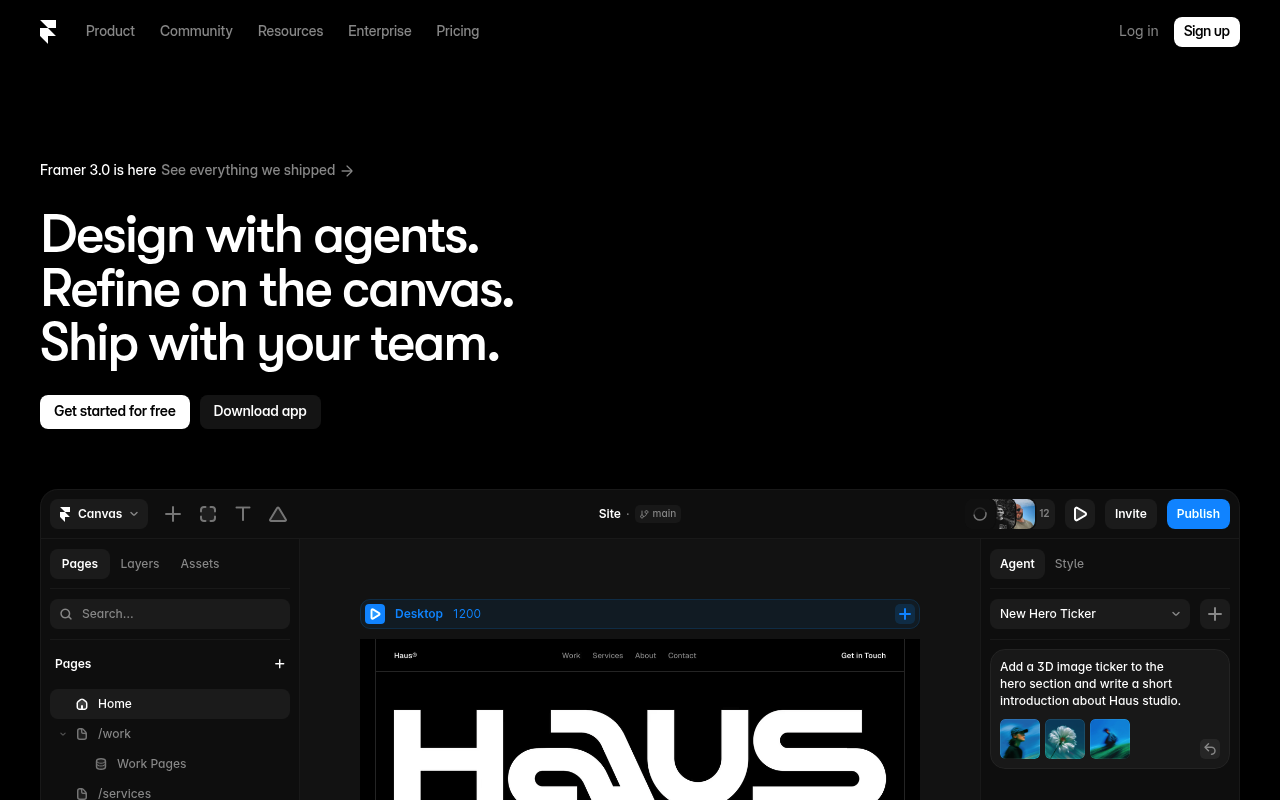
Where Framer 3.0 pulls ahead: the AI agents understand visual context. You can upload a screenshot of a competitor’s hero section, and the agent will recreate the structure while matching your existing design system. Webflow’s AI features require you to describe everything in words, which adds friction and inconsistency.
The branching feature is genuinely useful for client work. In Webflow, you duplicate the entire project to show an alternative version. In Framer, you branch like Git. This sounds minor until you have done it 50 times and realize you wasted 15 minutes per project on file management.
Who Actually Needs This
You are a freelance designer who charges $3,000 for a website build. You take on two clients per month. Your bottleneck is not design skill but iteration speed: clients request 4-6 rounds of revisions, each taking 2-3 hours because you are manually duplicating sections, copying CSS values, and reorganizing layers.
Framer’s AI agents handle the grunt work. You show it a section, describe the change, and it executes while maintaining your spacing and typography rules. One designer in the Product Hunt comments mentioned the screenshot understanding is “genuinely useful” for component creation.
The math gets interesting when you factor in branching. Instead of spending 30 minutes creating a “Version B” folder and duplicating assets, you branch in seconds. Over 24 client projects per year, that is 12 hours saved on file management alone.
The Math
| Plan | Monthly Cost | Hours Saved/Month | Break-Even Rate |
|---|---|---|---|
| Pro ($20/mo) | $20 | 2-4 hours | $5-10/hr |
| Team ($40/mo/editor) | $80 (2 editors) | 6-10 hours | $8-13/hr |
| Enterprise (custom) | $200+ | 15-20 hours | $10-13/hr |
If you bill clients at $75/hour or above, the Pro plan pays for itself within the first week of use. The Team plan makes sense only if you have a second person who actively builds, not just reviews.
Verdict
Framer 3.0 is the right tool for the wrong audience at ProductHunt today. The AI agents are legitimately useful, not a wrapper around ChatGPT but actual canvas-aware assistance that saves real time. The branching feature solves a workflow problem that designers complain about constantly but rarely quantify. The Community marketplace creates a new revenue stream for template creators, though that matters more to Framer’s ecosystem than to you.
Buy this if you are a working freelance designer building multiple client sites per month. Skip this if you are building your own portfolio site once every two years. The free tier works for exploration, but the real value unlocks at Pro. For solopreneurs who need a simple web presence, the $240/year is hard to justify when Carrd exists at $19/year.